GPU cards, filters, and sorting
Read a GPU card
Each card summarizes:
- GPU type and VRAM
- Region and network characteristics where shown
- Interconnect hints (when listed)
- SLA confidence or placement quality indicators
- Hourly rate estimate
Filter and sort
Use sidebar or top filters for:
- Tier (performance class)
- VRAM minimum
- Region
Sort to compare price, VRAM, or provider score depending on available controls in the UI.
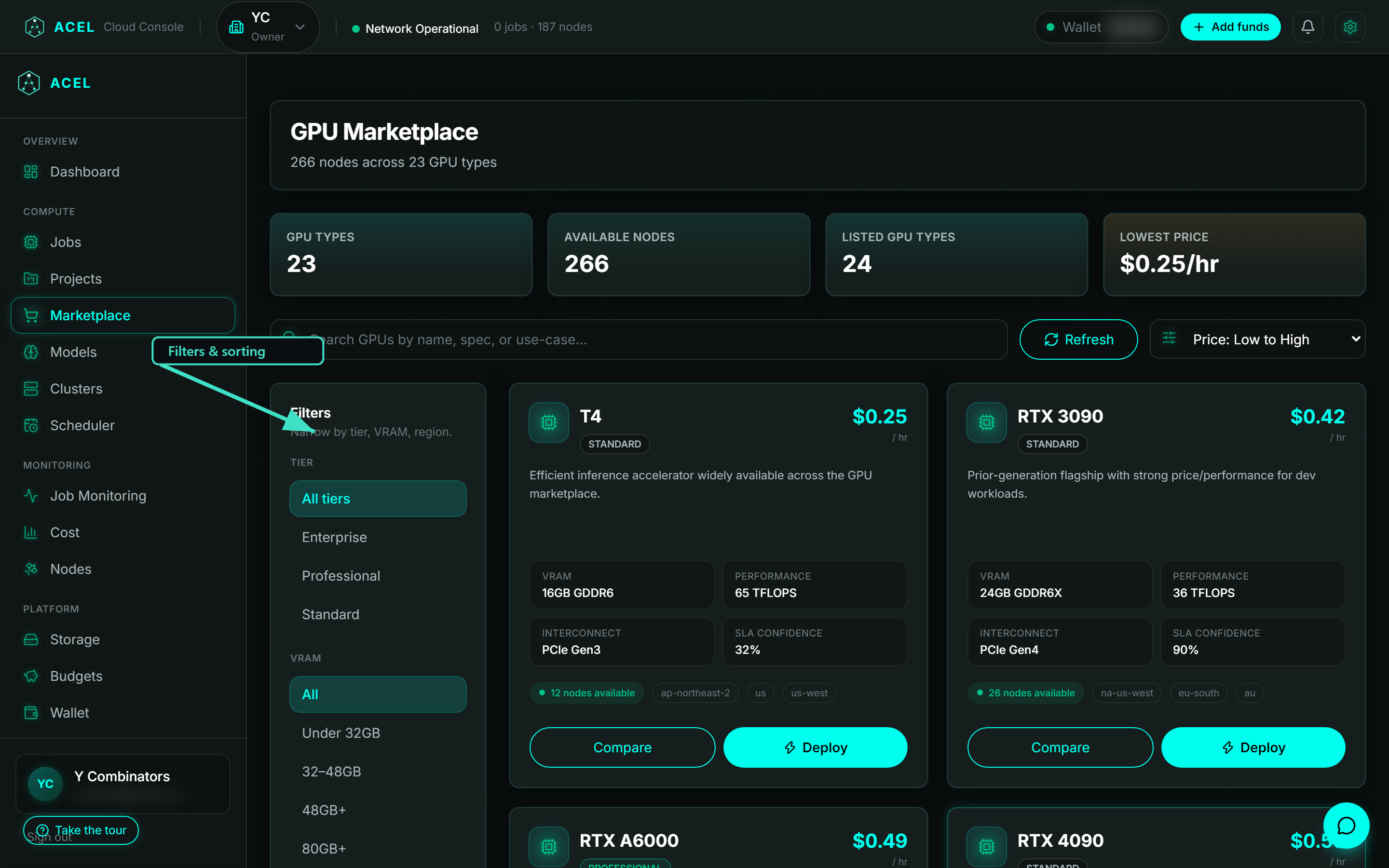 Marketplace cards with filters and sorting controls highlighted.
Manual placement
Enable Manual node selection in the launch modal if you need a specific node from monitoring views.