Quickstart
Launch your first compute job in under ten minutes.
Before you begin
- A modern browser and internet connection.
- Payment method or crypto wallet if you plan to fund beyond the welcome promo (optional for a small first job).
Welcome credit
New personal workspaces receive a $3 one-time promotional credit (30-day expiry). It lets you start a job when your cash balance is below the normal $10 minimum job budget. See Welcome bonus.
Steps
- Open app.acelcloud.com/signup and create an account with email/password or Google/GitHub.
- Complete contact onboarding (country, address, individual vs enterprise).
- Set compute defaults on the onboarding compute step (or skip and adjust later in Settings).
- Open Dashboard and confirm your wallet shows spendable balance (promo and/or deposits).
- Go to Marketplace, pick a GPU card, and choose Deploy (or open Jobs → Launch Compute Job).
- Select a template source, choose GPU count and region, set a budget, review the quote, and launch.
- Open the job detail page to watch status, logs, and metrics.
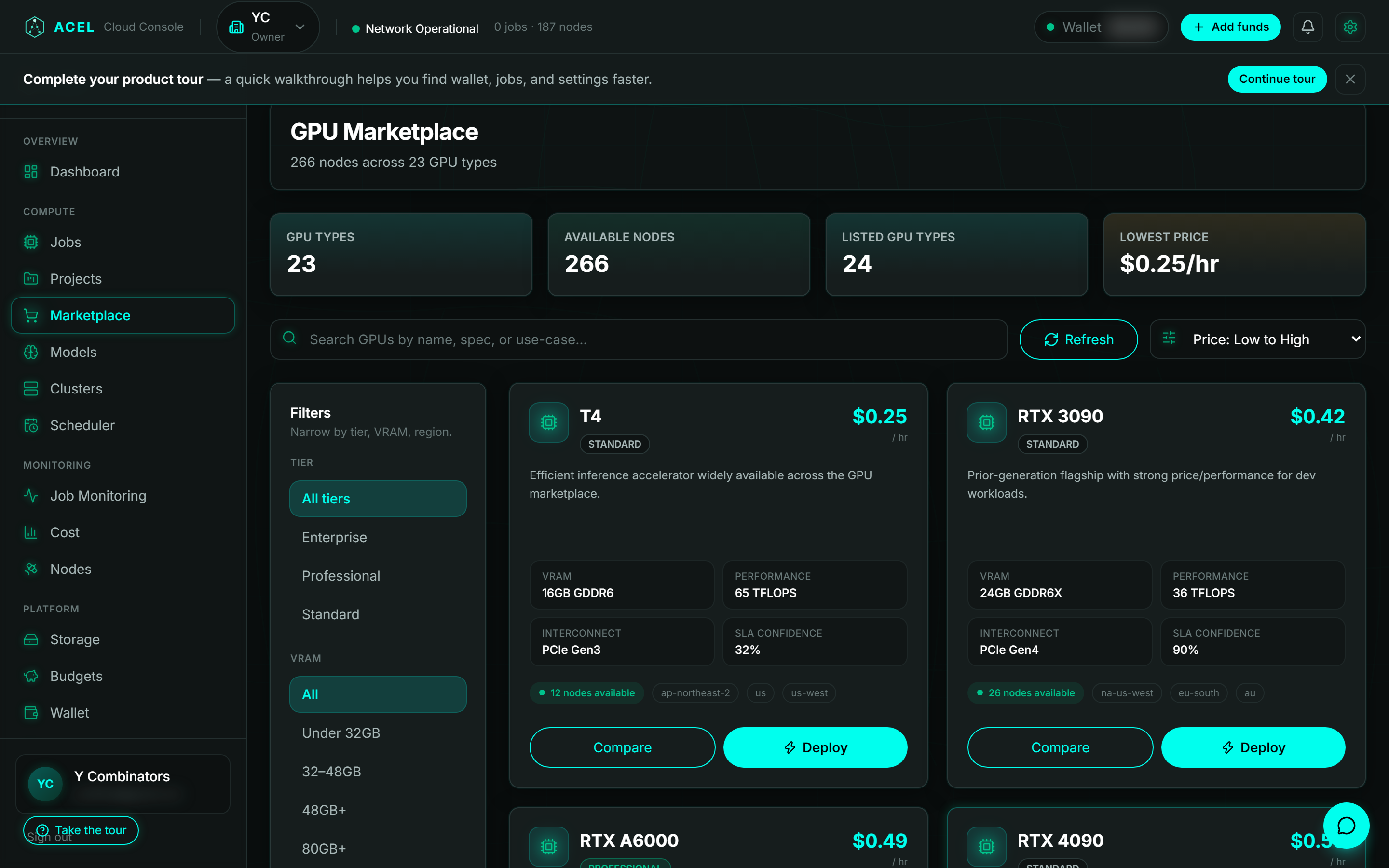 GPU marketplace with filters and live inventory cards.
Funding errors
If launch fails with a workspace funding message, add funds or ensure active promo credit covers the first billing hour. See Troubleshooting.