Launch Compute Job
Open Jobs → Launch Compute Job (or deploy from Marketplace/Models).
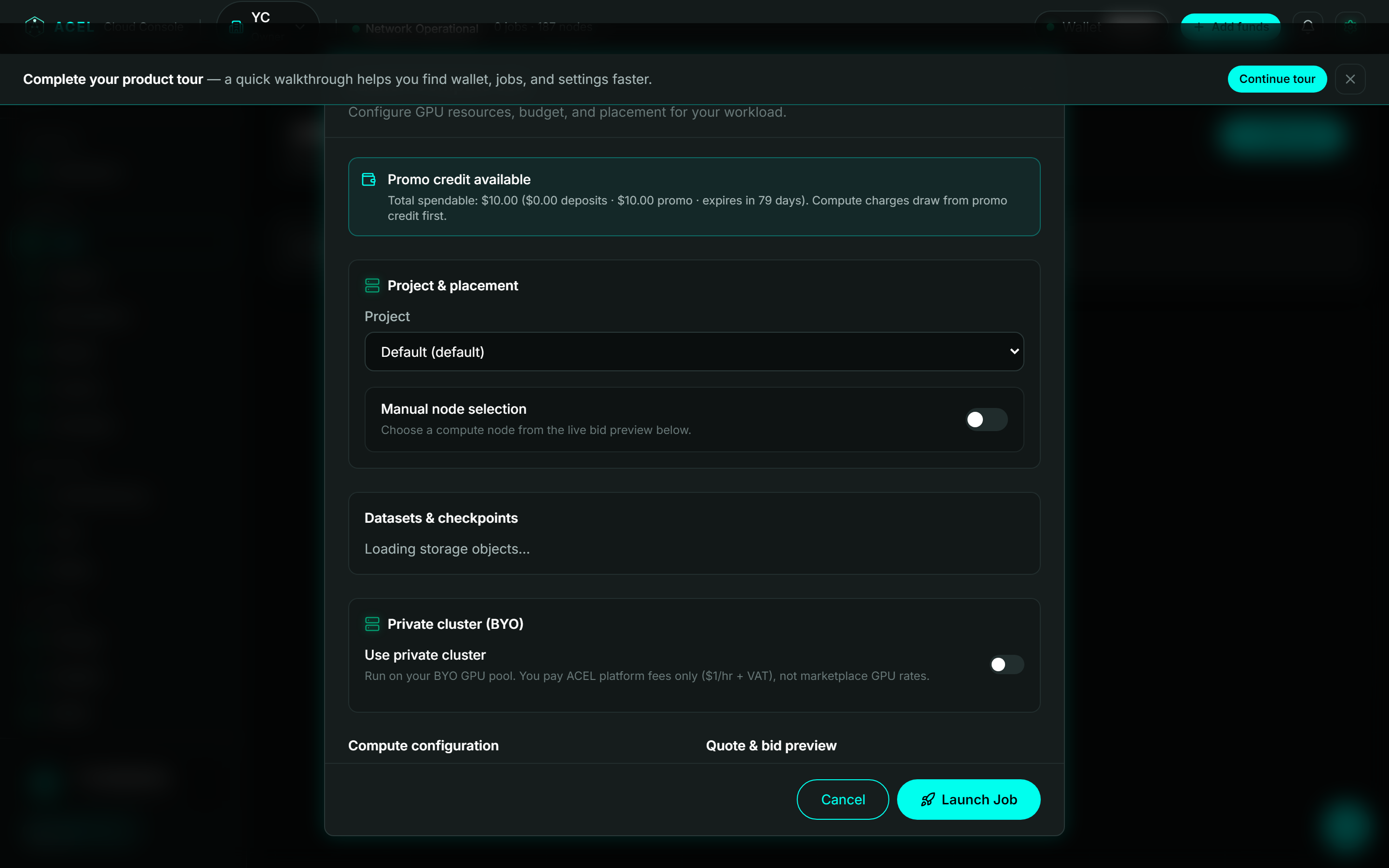 Launch Compute Job modal (before submit).
Core fields
| Field | Purpose |
|---|---|
| Project | Groups the job for governance and cost attribution. |
| Job mode | Training, inference, or other modes shown in the UI. |
| Source tabs | Template, Docker image, Git repo, or upload - see Job sources. |
| Runtime framework | PyTorch, TensorFlow, JAX, TensorRT, ONNX, CUDA, and other frameworks shown as available. |
| Docker image | Overrides when using Docker tab or advanced template settings. |
| GPU type & count | Hardware profile and number of GPUs. |
| Region | Placement geography. |
| Manual node selection | Pick specific nodes instead of automatic placement. |
| Private cluster | Run on your registered private cluster when enabled. |
| Datasets / checkpoints | Attach Storage objects to the job. |
| Max hourly rate | Bid cap - placement won't exceed this rate. |
| Storage | Extra volume size for the job runtime. |
| Budget (USD) | Maximum spend before automatic stop. |
| SSH keys | Keys from Settings injected into the VM. |
Governance
If a policy requires approval, launch enters a pending state until an approver acts in Governance.
Before you click Launch
- Review quote and bid preview totals.
- Confirm wallet + promo cover the first billing increment (see funding banner in modal).